
1. git提交规范
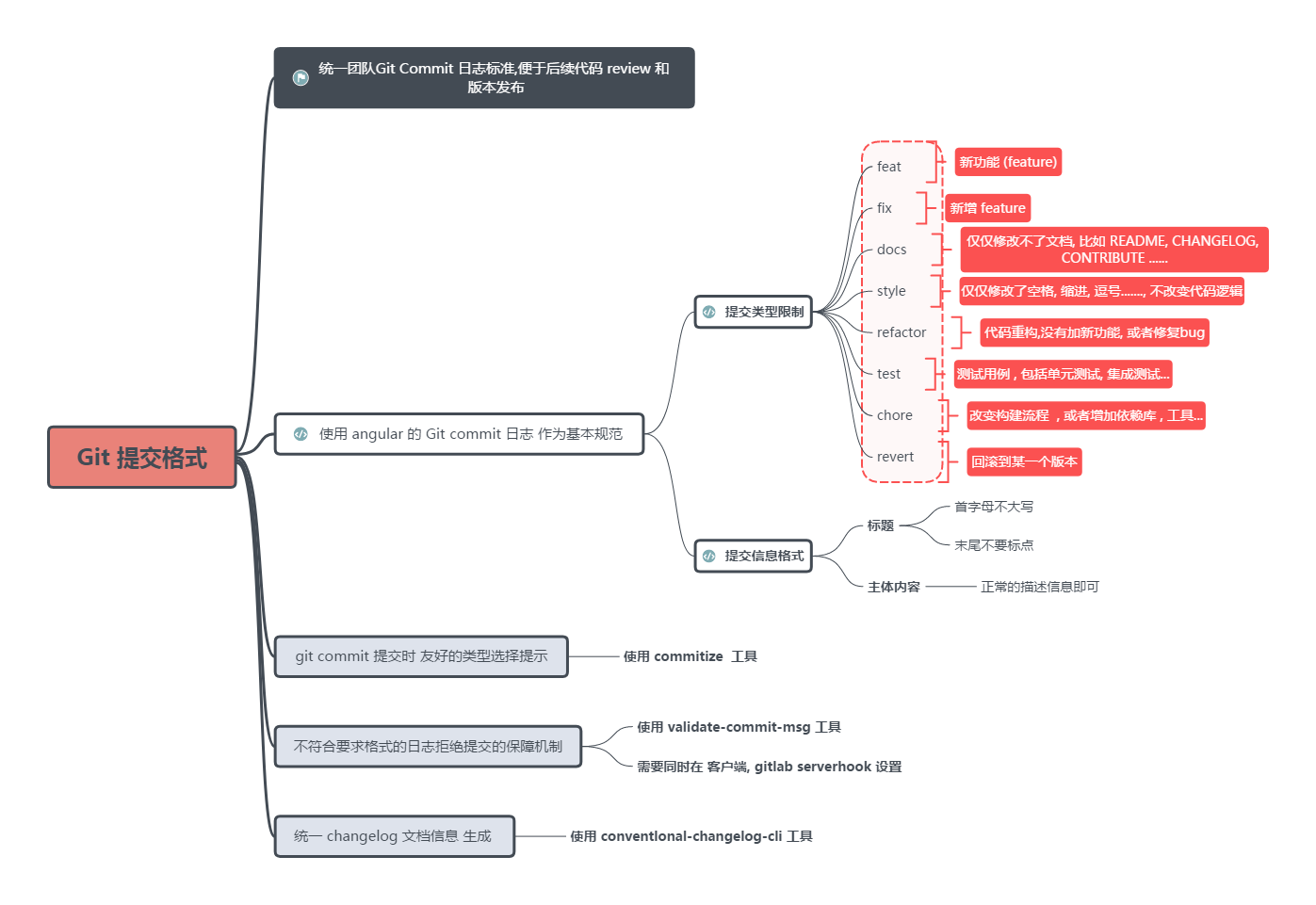
2. 1. Git commit规范
2.1. 1.1. 格式
<type>(<scope>): <subject>
示例:
fix(ngRepeat): fix trackBy function being invoked with incorrect scope
2.2. 1.2. type
主要的提交类型如下:
| Type | 说明 | 备注 |
|---|---|---|
feat |
提交新功能 | 常用 |
fix |
修复bug | 常用 |
docs |
修改文档 | |
style |
修改格式,例如格式化代码,空格,拼写错误等 | |
refactor |
重构代码,没有添加新功能也没有修复bug | |
test |
添加或修改测试用例 | |
perf |
代码性能调优 | |
chore |
修改构建工具、构建流程、更新依赖库、文档生成逻辑 | 例如vendor包 |
2.3. 1.3. scope
表示此次commit涉及的文件范围,可以使用*来表示涉及多个范围。
2.4. 1.4. subject
描述此次commit涉及的修改内容。
- 使用祈使句(动词开头)、动宾短语。
- 第一个字母不要大写。
- 不要以
.句号结尾。3. 2. Git commit工具
安装commitizen和cz-conventional-changelog。
使用cz-clinpm install -g commitizen cz-conventional-changelog echo '{ "path": "cz-conventional-changelog" }' > ~/.czrc$ git cz cz-cli@4.0.3, cz-conventional-changelog@3.0.1 ? Select the type of change that you're committing: (Use arrow keys) ❯ feat: A new feature fix: A bug fix docs: Documentation only changes style: Changes that do not affect the meaning of the code (white-space, formatting, missing semi-colons, etc) refactor: A code change that neither fixes a bug nor adds a feature perf: A code change that improves performance test: Adding missing tests or correcting existing tests (Move up and down to reveal more choices)